Creative Coding

This category features projects where I combine creative coding with design thinking to build interactive experiences. From experimental visuals to functional prototypes, these works explore how code can be both a technical tool and a creative medium.

Aug 8, 2024
Company

School Project

Company

School Project

Company

School Project

Role

Developer

Role

Developer

Role

Developer

Service

Creative Coding

Service

Creative Coding

Service

Creative Coding

Ridiculous Input Project

Ridiculous Input Project

Ridiculous Input Project

Tools: HTML, CSS, JavaScript

Type: Creative Interaction / Web Experiment

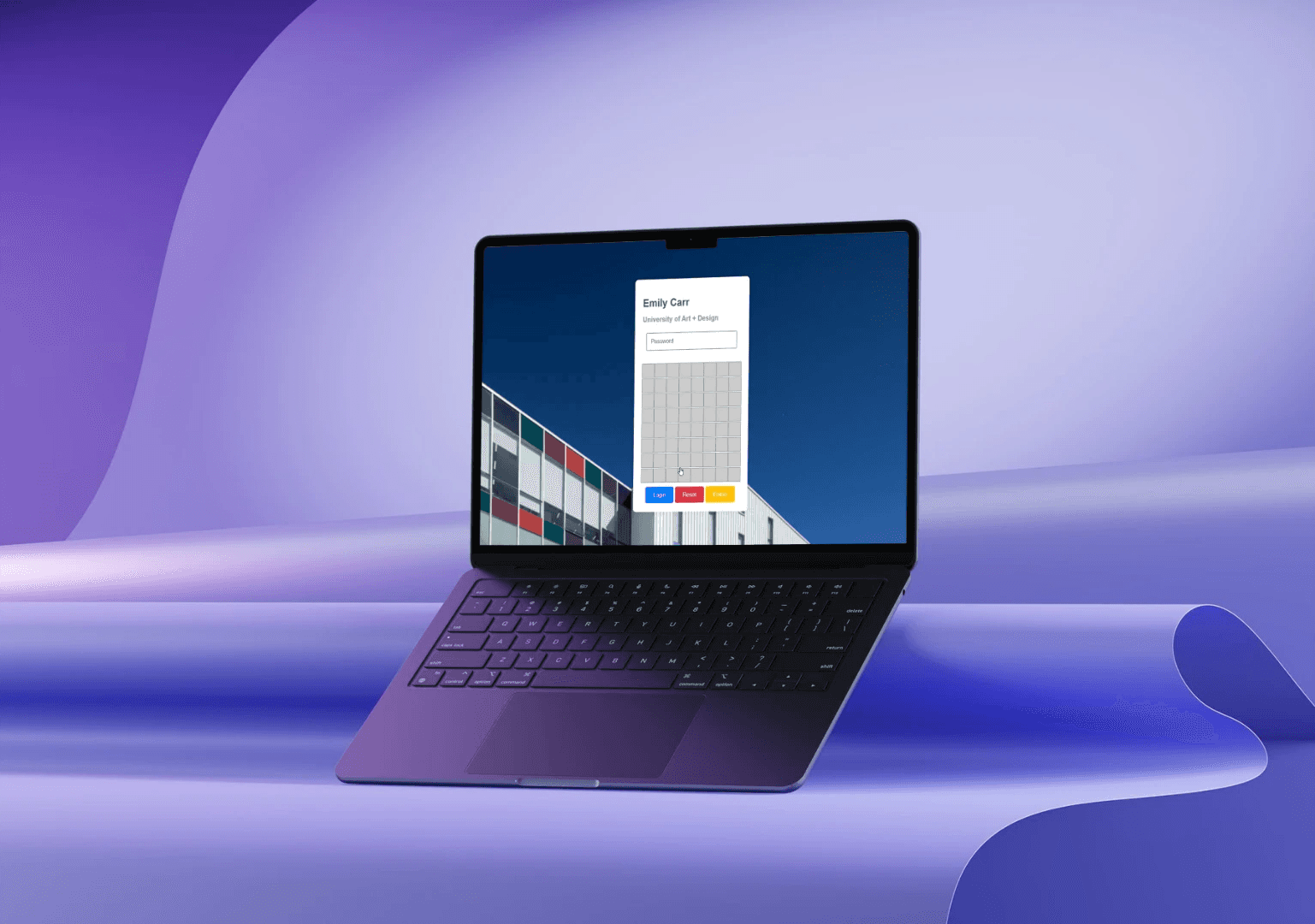
This project was developed for a "Ridiculous Inputs" assignment, where I was challenged to rethink traditional input methods in humorous or unconventional ways. Inspired by my own frustration with the myECU login process, I decided to replace the standard keyboard with a fully functional Minesweeper game to input a password. To enter a password, users must reveal characters by clicking cells in a Minesweeper grid. If they hit a bomb, the game resets, forcing them to start over. There's no keyboard. Just pure chance and strategy.

Key Features
  • Minesweeper as Input: Characters are hidden in non-bomb cells. Clicking a cell reveals a letter or a bomb.

  • Password Field: A read-only field displays the password being "constructed" one click at a time.

  • Reset & Erase: Users can reset the board or erase the last character.

  • Auto-reset: Hitting a bomb resets the game after showing an explosion effect.

Tools: HTML, CSS, JavaScript

Type: Creative Interaction / Web Experiment

This project was developed for a "Ridiculous Inputs" assignment, where I was challenged to rethink traditional input methods in humorous or unconventional ways. Inspired by my own frustration with the myECU login process, I decided to replace the standard keyboard with a fully functional Minesweeper game to input a password. To enter a password, users must reveal characters by clicking cells in a Minesweeper grid. If they hit a bomb, the game resets, forcing them to start over. There's no keyboard. Just pure chance and strategy.

Key Features
  • Minesweeper as Input: Characters are hidden in non-bomb cells. Clicking a cell reveals a letter or a bomb.

  • Password Field: A read-only field displays the password being "constructed" one click at a time.

  • Reset & Erase: Users can reset the board or erase the last character.

  • Auto-reset: Hitting a bomb resets the game after showing an explosion effect.

Tools: HTML, CSS, JavaScript

Type: Creative Interaction / Web Experiment

This project was developed for a "Ridiculous Inputs" assignment, where I was challenged to rethink traditional input methods in humorous or unconventional ways. Inspired by my own frustration with the myECU login process, I decided to replace the standard keyboard with a fully functional Minesweeper game to input a password. To enter a password, users must reveal characters by clicking cells in a Minesweeper grid. If they hit a bomb, the game resets, forcing them to start over. There's no keyboard. Just pure chance and strategy.

Key Features
  • Minesweeper as Input: Characters are hidden in non-bomb cells. Clicking a cell reveals a letter or a bomb.

  • Password Field: A read-only field displays the password being "constructed" one click at a time.

  • Reset & Erase: Users can reset the board or erase the last character.

  • Auto-reset: Hitting a bomb resets the game after showing an explosion effect.

Puzzle Adventure Game

Puzzle Adventure Game

Puzzle Adventure Game

Tools: Processing (Java)

Type: Game Developing / Creative Coding

This project was developed for a game developing assignment using Processing, where I was challenged to create a top-down game with clear logic, dynamic gameplay, and player interaction using mouse controls, variables, and custom classes. In this game, the player controls a character that follows the mouse pointer. The goal is to collect four puzzle pieces in their specific order while avoiding both stationary and moving enemies. The player must complete the task within a time limit to win. If they collide with a bad object or run out of time, the game ends.

Key Features
  • Mouse-Based Movement: The player follows the mouse cursor during gameplay.

  • Pieces Collection in Sequence: The player must collect target objects in the correct order to win.

  • Enemy Obstacles Includes 4 moving enemies and 4 stationary ones with custom movement logic.

  • Win/Lose Conditions: Time tracking, collision detection, and visual feedback determine game outcomes.

  • Custom Reset Mechanic: Right-click resets the entire game with randomized object positions.


Create a free website with Framer, the website builder loved by startups, designers and agencies.